
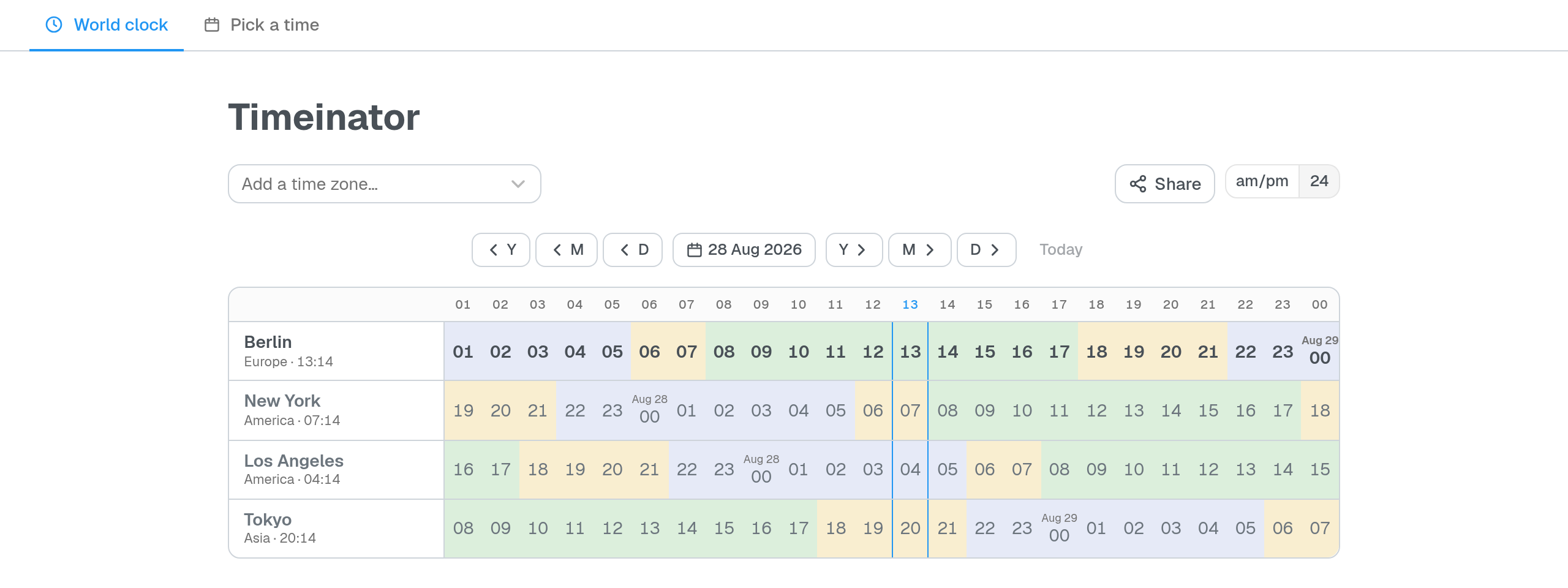
Scheduling across time zones fails in a particular way: you can convert one moment into one other zone in your head, but not into four at once, and not while also remembering who is asleep. Timeinator does both halves of that problem — reading a moment everywhere, and finding one that suits everybody.
The world clock
Add the zones you care about. Each row is a zone, each column an hour, and every cell is coloured by how reasonable that hour is where it lands: green for the working day, yellow either side of it, blue for the night. Scan a column and you can see who is awake.
Click a cell and you get a Google Calendar link with the time already filled in, and a description listing that slot in every zone you are watching, so nobody has to do the conversion twice. Nothing is written to your calendar — Google opens its own compose screen and you confirm there.
Your zones live in the URL, so sending someone the link sends them your lineup.
Pick a time
For when the answer is not one you can work out alone. Open /pick, mark up
your week, and send the link. Everyone paints their own availability in their
own time zone — red for busy, green for preferred — by tapping a slot, dragging
down a day, or pulling the edge of a block to stretch it. Your marks show at
full strength and everyone else’s are faded, so you can tell what you said from
what you are being told.
Underneath is the list that matters: the windows where nobody is busy, best first, naming who wants each one and who has not answered yet.
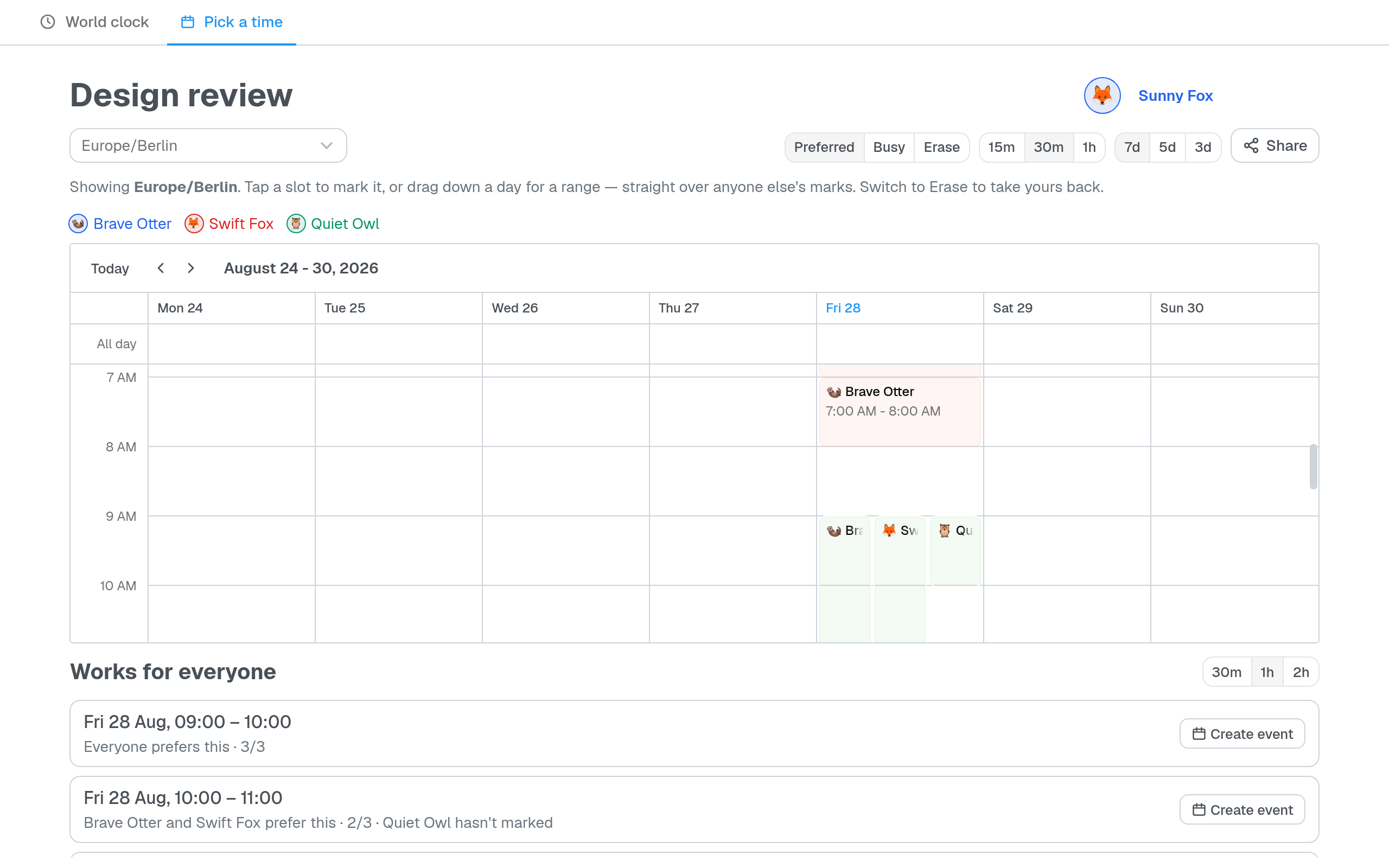
There is nothing to sign up for. You arrive with a name like Brave Otter, which you can change, and your browser remembers you. Anyone holding the link can join — which is the point of a link you paste into a group chat.
On a phone
The clock turns sideways: zones become columns, hours become rows, and the zone headers stay put while you scroll. Both pages install as a PWA; the world clock works offline, while Pick a time needs the network because the poll lives on the server.
Running your own
Node 24 and pnpm, with Docker optional. There is no build step for the server
and nothing to compile — Node runs the TypeScript directly and stores polls
through its own node:sqlite, so the whole of the app’s state is a single file
you can copy.
Licensed ISC with the Commons Clause: free to run, fork and restyle for yourself or for everyone at work, but not to sell as a hosted service or a paid fork. That makes it source-available rather than open source in the OSI sense.